


This article is about pitfalls, solutions, and what I've come to in scheduling Python scripts
This article focuses on pitfalls, solutions, and my findings with regard to scheduling Python scripts. : periodically, you have to execute updating s using ORM models from your codebase with intermediate processing.
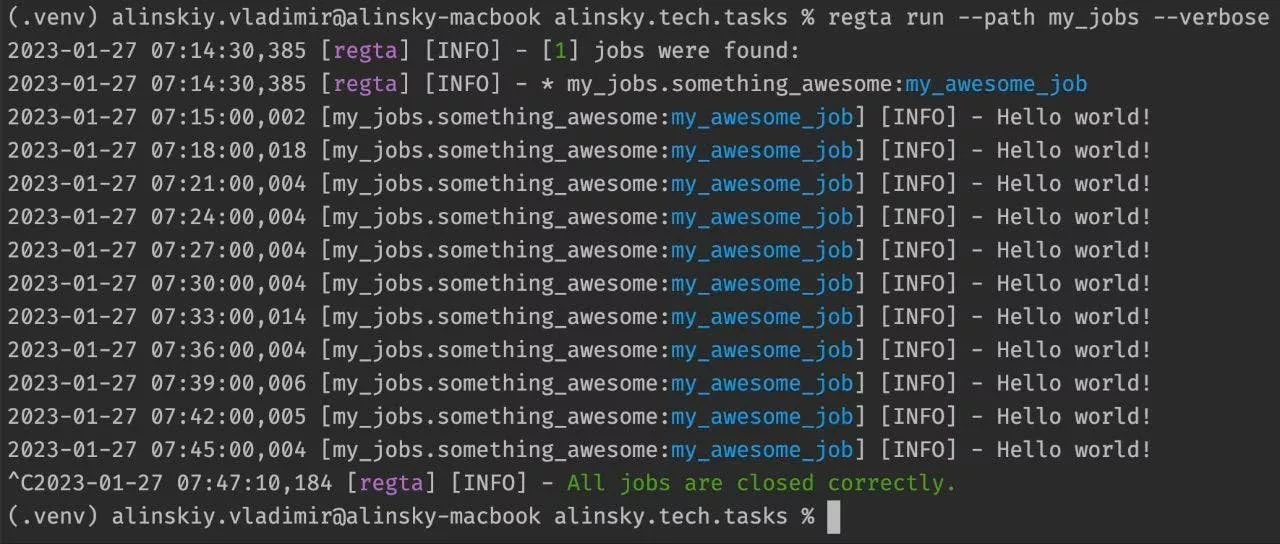
For example, you want to detect inactive users by side factors like actions they've taken or not taken within a certain time frame once per day and mark them as inactive. This scenario often occurs in data-driven applications where you need to maintain the integrity and accuracy of your data. Imagine the following case SQL every Monday at 10 AM your script must send internal reports on to every manager about their employees' non-compliant Key Performance Indicators. This scenario is a common requirement in organizations striving to monitor and improve performance across various teams and departments. Or, a different case: Slack What could go wrong with scheduling Python scripts? Async code If your codebase contains asynchronous parts that you'd like to reuse, you need to consider async support. I wouldn't recommend relying solely on the standard approach because you'll forfeit the advantages of asynchrony, and your code will operate like regular synchronous code. asyncio.run If you have more than one job, you'll have to deal with parallel job execution. However, a common issue that arises is time shifting, as the scheduler may need to wait until one job finishes before it can move on to the next. This can potentially lead to delays in executions, especially when jobs have varying runtimes or when you have many jobs. Concurrent execution There are different ways to start jobs, like using separate Python threads, individual processes, or event loops. The choice of initiation method can have a significant impact on CPU and memory utilization when you have a whole lot of jobs. Resource leakage Inability to be resistant to reboots without affecting job intervals. In other words, after reboot, you get a time shift because of interrupting clocking. For example, you have a job whose interval is 3 hours. After 2 hours of clocking the CI/CD pipeline rebuilt the image and recreated the container to update the code because you pushed new commits. If the scheduler starts clocking right from the start, you'll get 2 hours of clocking before the reboot, and 3 after. So, in this case, the interval between executions is 5 hours and you have a significant time shift. Sometimes it might be critical. Restart intolerance If the execution time of a job is more than an interval between executions or it varies, you may easily get a situation when the scheduler starts new executions of the job before the previous execution ends. It leads to job multiplication, resource leakage, and even a critical system shutdown due to overload. This case must be considered if you have short intervals or long-running jobs. Duplicate parallel executions If you have a need to execute jobs at different times by different time zones on different days, it might be tricky to configure. For example, one job must be executed at 11 AM by New York on Monday only, a different one at 5 PM by Berlin on weekends, and the last one every 3 hours starting by Tokio on Friday only. Localization So, a lot could go wrong:) Solutions Let's look at possible ways to overcome pitfalls in order of their effectiveness. Schedule Python lib is the most basic scheduler for Python and the first one that you'll find if start googling. It looks interesting, but the main disadvantage of this lib is that it's not really designed to be used somewhere. Schedule According to the official documentation: You should probably look somewhere else if you need: Job persistence Exact timing Concurrent execution Localization Schedule does not account for the time it takes for the job function to execute. Anyway, let's look at an example, pros and cons for further comparison. import schedule import time def job: print schedule.every.day.at.do while True: schedule.run_pending time.sleep Pros Simple Cons No async code support No concurrent execution Restart intolerance No localization Cron Unix utility is the most popular general-purpose scheduler in the world. This scheduler is universal and starts jobs as a shell command. Take note that Cron starts a separate process for every job and this may take a lot of system resources. Cron Here you need a file: crontab # m h dom mon dow user command */30 * * * * /usr/local/bin/python /path/to/the/script.py >>/var/log/cron.log 2>&1 In turn, the script can contain whatever your heart desires: if __name__=="__main__": print Pros Concurrent execution Versatility Cons No async code support Resource leakage Restart intolerance Duplicate parallel executions No localization Regta Python utility is a scheduling tool designed with these pitfalls in mind especially for . The key advantage is that it has async, multithreading, and multiprocessing support just like restart tolerance. Regta Python from regta import async_job, Period @async_job.on.sunday.at.by) async def my_async_job: pass # Do some stuff here To run it use command. regta run Pros Async code support Concurrent execution Restart tolerance Localization Cons No strong community Summary When it comes to scheduling Python programs, the first option, Schedule, may not be the most suitable choice for solving real-world problems. Instead, consider the following points: For internal automation tasks that involve various programming languages and CLI tools, stands as a robust choice. Cron If your automation needs are focused on Python exclusively, emerges as a compelling option, offering a wealth of Python-specific optimizations. Give it a try, and feel free to share your thoughts in the comments 🙌 Regta Also published here.
United States Latest News, United States Headlines
Similar News:You can also read news stories similar to this one that we have collected from other news sources.
 The “Help me script” feature from Google Home will make coders out of normal peopleThe goal here is to introduce people with no prior coding experience to the wonderful magic world of coding.
Read more »
 Council Post: Mastering Manufacturing Training, Part 1: BenchmarkingUnderstanding the skills available (or lacking) within your organization can be a daunting task. When it comes to your workforce, you don't know what you don't know.
Read more »
 Mastering the Crypto Storm with Bitfinex: A Trader's AdvantageSeizing opportunities in the crypto market requires the resilient edge that Bitfinex provides. To excel in this arena, understanding the essence of market
Read more »
 The Key to Mastering Influence Is Adaptive PersuasionMaking someone feel understood and respected is universally persuasive, but the best way to do this differs for each person.
Read more »
 The Nonlinear LifeMastering Change at Any Age
Read more »